
Install the package
Ubuntu 24.04 amd64 is the currently supported Linux target. The installer pins the APT signing-key fingerprint.
Coordinate specialist agents around one project, keep their changes in separate workspaces, and review what reaches your source tree.
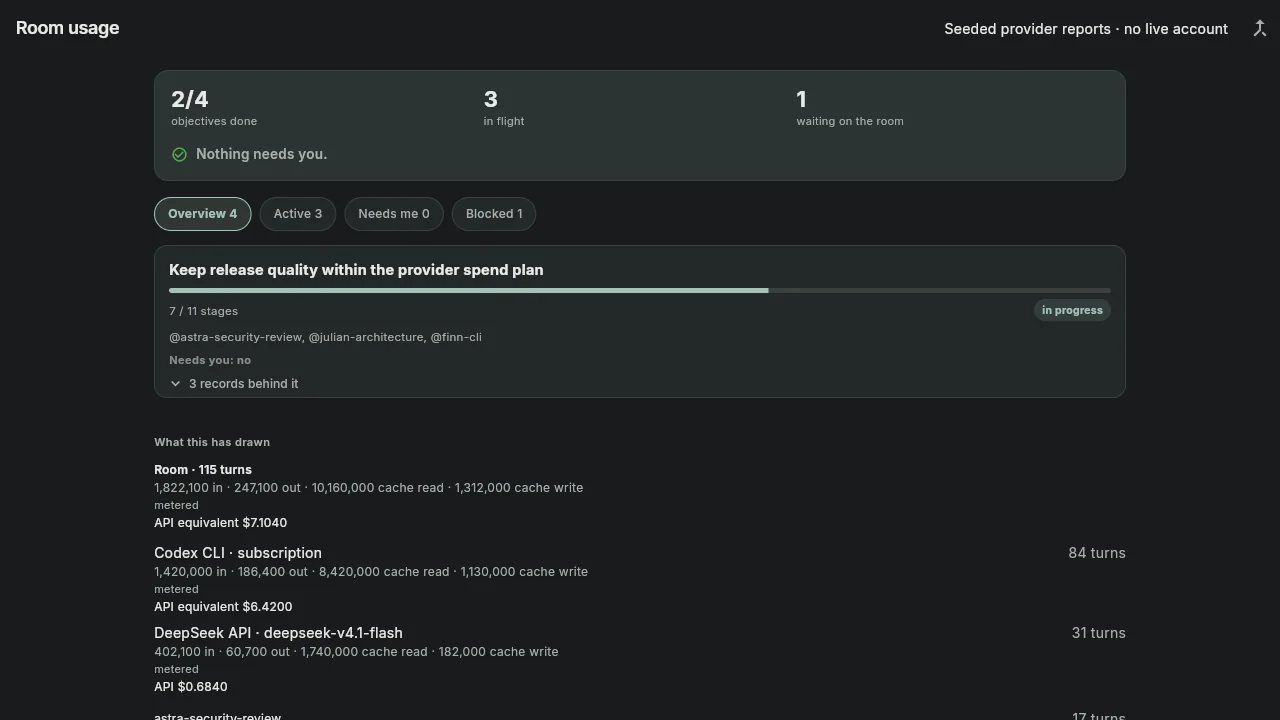
Agents use isolated project copies. OrgBots compares each copy with the project before integration and surfaces conflicts and deletions for owner review.
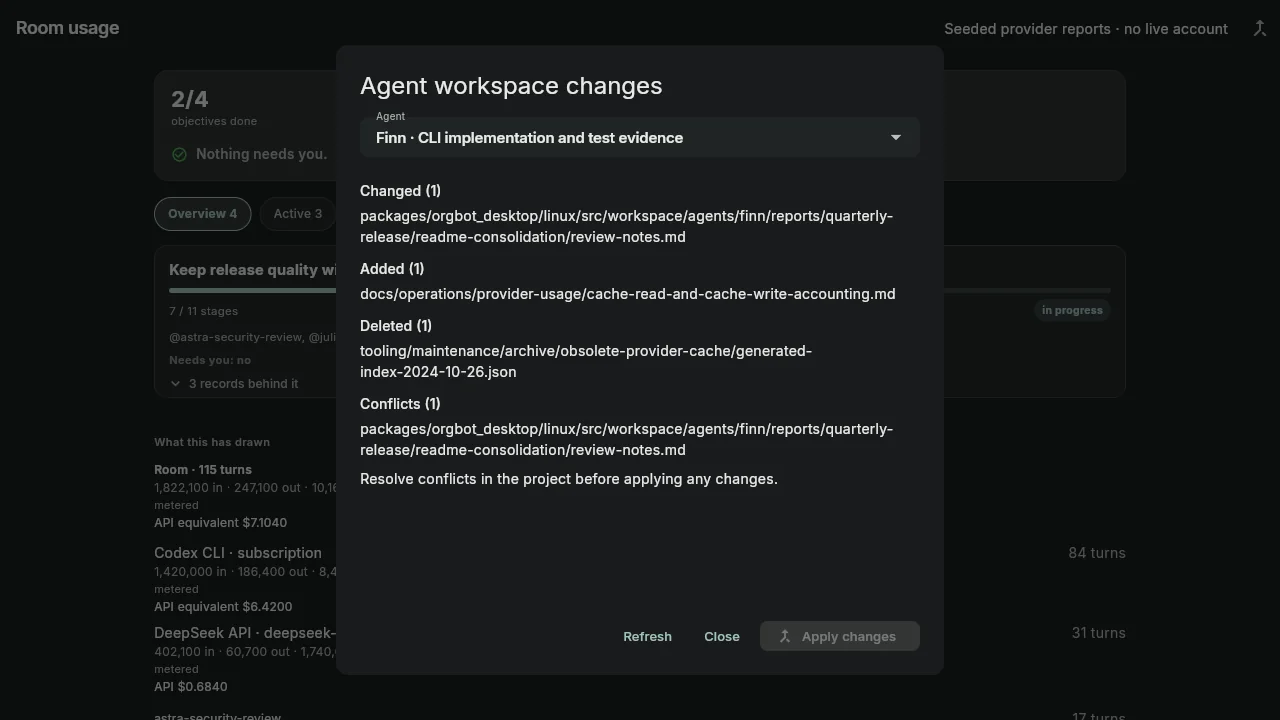
When an agent changes the same file as the owner, integration stops and shows the conflict. Replacing or removing an existing file requires a writable ext4 drive mounted at /mnt/hdd; originals go to /mnt/hdd/OrgBots Trash.
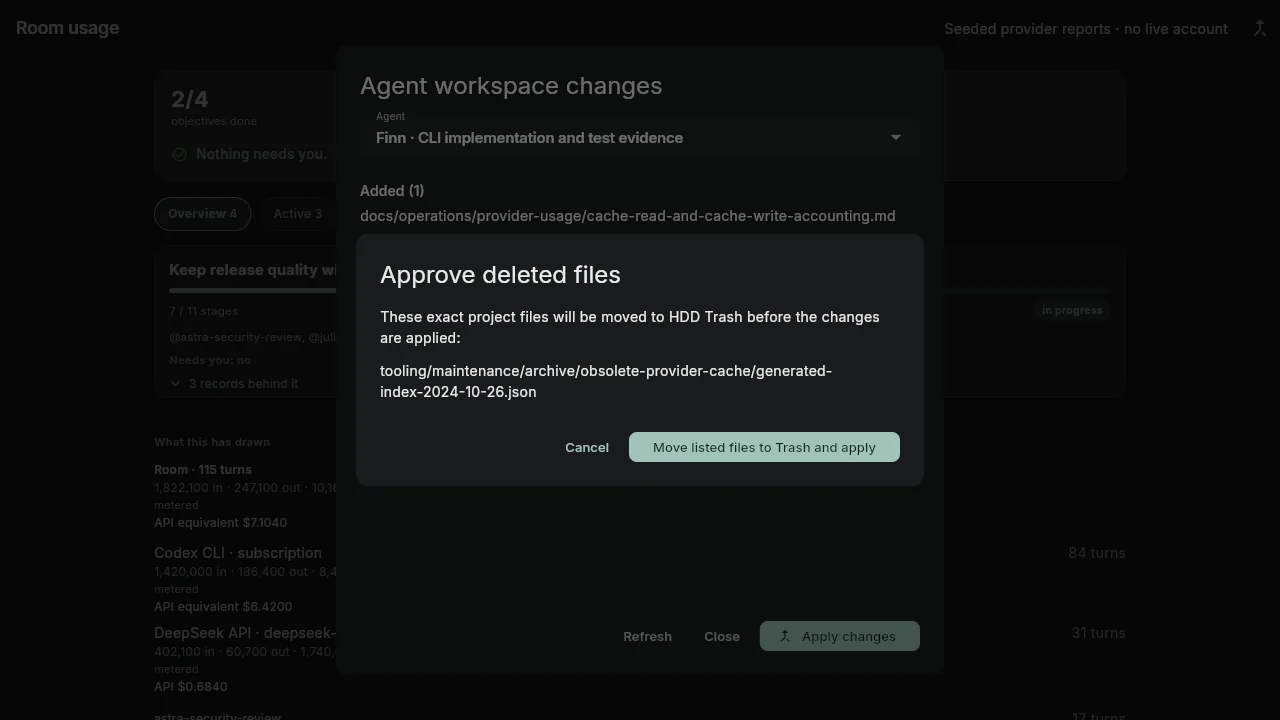
Rooms preserve the work session. Usage records separate input, output, cache reads, and cache writes by provider and agent.
Use the room history to pick up work, answer an agent’s question, and inspect what each provider contributed. When the provider returns enough data, OrgBots records token categories and API cost estimates.
Rooms carry questions, notifications, attachments, previews, and background work alongside each project. Bring your installed tools and review each permission request.
The specialist preset uses Astra for code and security coordination and review, and Julian (Opus) for design and architecture coordination. Choose the available models and roles for each room. Codex, Claude, and Grok CLI use their installed Linux accounts. API providers and an Ollama endpoint can be configured separately.
OrgBots uses the Codex, Claude, and Grok command-line accounts already installed on Linux, or DeepSeek API keys or a configured Ollama endpoint.
Ubuntu 24.04 amd64 is the currently supported Linux target. The installer pins the APT signing-key fingerprint.
Your CLI subscriptions and API accounts remain with their providers. Their billing and terms still apply.
Agents prepare changes in private working copies. You review conflicts and protected removals before they apply.
No optional cookies or analytics are used by this site. Hosting security logs may apply.